How to Check a Nonprofit’s Filing History

July 21, 2026
How to Check a Nonprofit’s Filing History

How to Check a Nonprofit’s Filing History

A nonprofit’s IRS filing history can provide important information about the organization’s tax-exempt status, annual filings, and compliance record. Whether you are preparing a grant application, joining a nonprofit’s board, or simply reviewing your organization’s records, knowing where to find previous filings can save time and prevent compliance problems.

There are two primary ways to check a nonprofit’s filing history: through the IRS Tax Exempt Organization Search tool or through Pro990.


What Is a Nonprofit Filing History?

Most tax-exempt organizations must submit an annual filing to the IRS. Depending on the organization’s size and financial activity, it may file:

  • Form 990-N, also known as the e-Postcard
  • Form 990-EZ
  • Form 990
  • Form 990-PF

A nonprofit’s filing history shows which annual returns or notices the IRS has received. Reviewing this history can help an organization confirm that it has filed each year and identify any missing returns.

This is especially important because an organization that fails to file a required Form 990-series return or notice for three consecutive years will generally have its federal tax-exempt status automatically revoked.

Option 1: Check the IRS TEOS Page

The IRS provides a free search tool called Tax Exempt Organization Search, commonly referred to as TEOS.

The TEOS page allows users to search for information such as:

  • Form 990-series returns
  • Form 990-N e-Postcard filings
  • Tax-exempt status information
  • Automatic revocation records
  • IRS determination letters that are available online

The IRS states that Forms 990, 990-EZ, 990-PF, certain Forms 990-T, and Form 990-N filings received in 2017 or later may be viewed through TEOS.

To search for an organization, you will generally need its legal name or Employer Identification Number, commonly called an EIN. Searching by EIN is usually the most accurate method because multiple organizations may have similar names.

Limitations of the IRS TEOS Search

TEOS is a useful public resource, but it may not always be the easiest way to manage an organization’s records.

Some common limitations include:

Older filings may not be available

The IRS indicates that individual Form 990-series returns available through TEOS generally date back to filings submitted since January 2018. Older records may require a separate records request or may not be immediately available online.

Different filing types may appear separately

An organization that has filed different forms over the years may need to review multiple sections or search results to understand its complete filing history.

Filing data can be difficult to interpret

Board members and volunteers may not immediately know whether a missing year means the organization failed to file, filed under a different name, or submitted a form that is displayed elsewhere in the system.

TEOS is designed as a public database

Although TEOS makes valuable IRS information available to the public, it is not designed as a nonprofit record-management dashboard. Organizations may still need to locate, organize, and store documents separately for future use.

Option 2: Check Your Filing History With Pro990

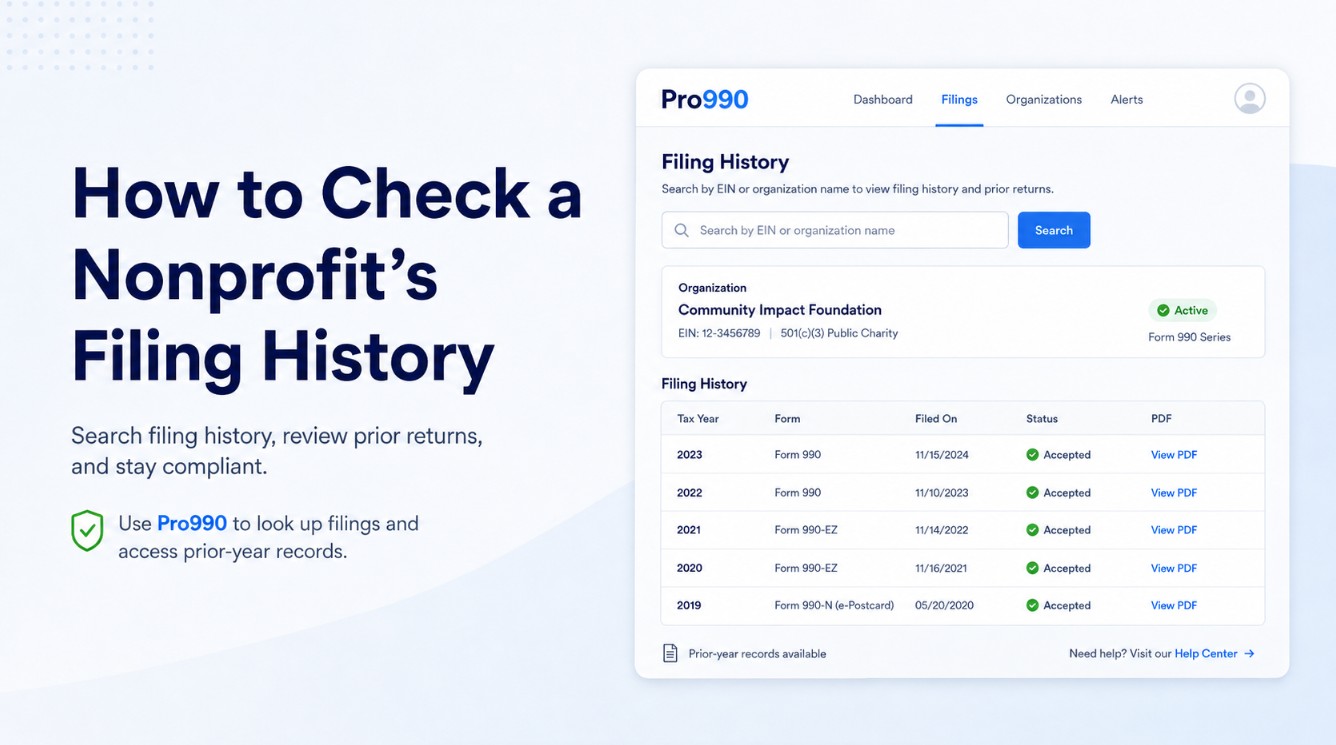
Pro990 provides a simpler way for nonprofit officers and board members to review their organization’s filing history.

By entering the organization’s EIN, users can access the nonprofit’s filing records in one location rather than navigating multiple IRS search categories.

With Pro990, an organization can:

  • Review its entire available filing history
  • See which forms were filed for previous tax years
  • Identify possible gaps in its filing record
  • Download PDF copies of previous filings
  • Keep important compliance records organized
  • Begin a new Form 990-N or Form 990-EZ filing when needed

This can be especially helpful when preparing state registrations, grant applications, bank records, or other documents that require proof of a nonprofit’s previous filings.

Why Grant Applications May Require Previous Form 990 Filings

Government agencies, private foundations, and other grantmakers often request financial and compliance documents before approving funding.

A grant application may ask for:

  • The organization’s most recent Form 990 or Form 990-EZ
  • Multiple years of previous returns
  • Proof that the organization is currently tax-exempt
  • Financial information from prior tax years
  • Evidence that required annual filings have been completed

Waiting until the application deadline to locate these records can create unnecessary delays. Having downloadable PDF copies available makes it easier to provide the requested documents quickly.

Organizations that file Form 990-N should remember that the e-Postcard is much shorter than Forms 990 and 990-EZ. Some grantmakers may therefore request additional financial statements or organizational records.

How to Check Your Nonprofit’s Filing History

Follow these steps to review your organization’s filing record:

  1. Locate the nonprofit’s EIN.
  2. Search for the organization using the IRS TEOS page or Pro990.
  3. Confirm that the organization’s legal name and location are correct.
  4. Review each tax year shown in the filing history.
  5. Look for missing years or changes in the type of form filed.
  6. Download and save copies of the available returns.
  7. Investigate any missing filings before they lead to a compliance issue.

Do not rely solely on the organization’s name when searching. Using the EIN helps ensure that you are reviewing the correct nonprofit. You can use this convenient tool to immediately search your organization's most recent 3 years. By creating an account with us, you get free access to your Pro990 dashboard that will include an entire historical record and PDF downloads of all previously filed returns for your organization. 


What Should You Do If a Filing Is Missing?

A missing filing does not always mean that the organization failed to comply. The return may not have been processed yet, may have been submitted under different organizational information, or may not be available through the public search system.

However, a missing year should not be ignored.

Review the organization’s internal records and confirm whether a Form 990-N, 990-EZ, or 990 was submitted. If the organization has missed multiple required filings, take action as soon as possible. Three consecutive missed annual filings can result in automatic revocation of federal tax-exempt status.

Keep Your Nonprofit’s Filing Records Accessible

Your nonprofit’s filing history is more than a public record. It can be an important part of maintaining tax-exempt status, applying for grants, demonstrating transparency, and preparing for future leadership transitions.

The IRS TEOS page is a valuable place to search for public nonprofit records, but organizations may find it easier to use a platform that places their filing history and downloadable documents in one location.

Visit Pro990.org, enter your organization’s EIN, and review your nonprofit’s filing history. You can access available records, download PDF copies of previous filings, and begin your next Form 990-N or Form 990-EZ filing when it is due.

Check your nonprofit’s filing history today and make sure your organization’s records are ready when you need them.