Form 990-N Instructions: Step-by-Step Guide
Form 990-N, also called the e-Postcard, is the simplest annual IRS filing for small tax-exempt organizations. Most nonprofits with gross receipts normally $50,000 or less can file Form 990-N instead of the longer Form 990 or Form 990-EZ. The IRS requires Form 990-N to be filed electronically; there is no paper version of the form.
Step 1: Confirm that your nonprofit is eligible
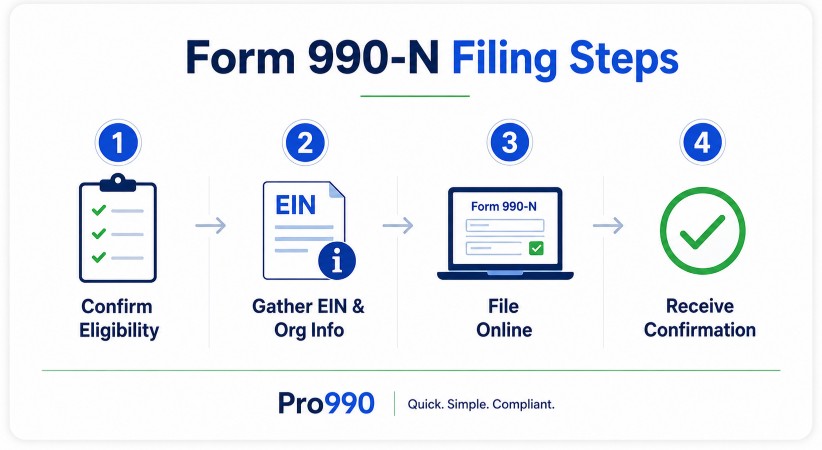
Before filing Form 990-N, make sure your organization qualifies. In general, Form 990-N is for small tax-exempt organizations with annual gross receipts normally $50,000 or less. Organizations with gross receipts normally over $50,000 generally need to file Form 990-EZ or Form 990 instead. Private foundations, most supporting organizations, and certain other organizations may not be allowed to file Form 990-N. Enter your EIN below to determine your eligibility to file.
Step 2: Gather your organization’s information
Form 990-N is short, but you still need accurate information before filing. Be prepared to provide your organization’s legal name, any other names it uses, EIN, mailing address, website address if applicable, principal officer name and address, tax year, and confirmation that your organization’s gross receipts are normally $50,000 or less.
Step 3: Know your tax year
Your Form 990-N filing is based on your nonprofit’s tax year. Many organizations use a calendar year ending December 31, but some use a fiscal year ending in a different month. The tool above will show your organization's tax year, but you can always double check our 990-N Filing Deadline Schedule for more information. Your Form 990-N is generally due by the 15th day of the 5th month after your tax year ends.
Step 4: File electronically
Form 990-N must be submitted online. The IRS states that there is no paper form, and filers should use the electronic filing system to submit the e-Postcard. The IRS also advises filers not to use a smartphone or tablet when completing Form 990-N.
Step 5: Review before submitting
Before you submit, carefully review your EIN, organization name, tax year, address, and officer information. Pro990 has a built-in error checking and a final review page so you can ensure your filing is accurate prior to submission.
Step 6: Proof of filing
After filing Form 990-N, your filing confirmation will remain on your Pro990 dashboard indefinitely. You can access your return at any time by signing into your Pro990 account and selecting the "Download PDF" button for all accepted filings. Our PDF form includes time-stamped IRS confirmation info so you can submit proof-of-acceptance to your state or when applying for grants and/or private funding.